Angel: Watch Movies & TV Shows
- 4.6
- Rating
- 10.00M
- Installs
- Free
- Price

 Analysis by App-foxy
I spent time with Angel: Watch Movies & TV Shows as an entertainment app, approaching it less like a quick catalog check and more like something I might open after work when I want a film or series without paying an upfront download fee. My overall impression is that it has a clear identity and a strong appeal for viewers who enjoy faith-oriented, family-friendly, and original programming. It is not trying to be every streaming service at once, and that focus is both its biggest strength and the main reason some people may eventually move on.
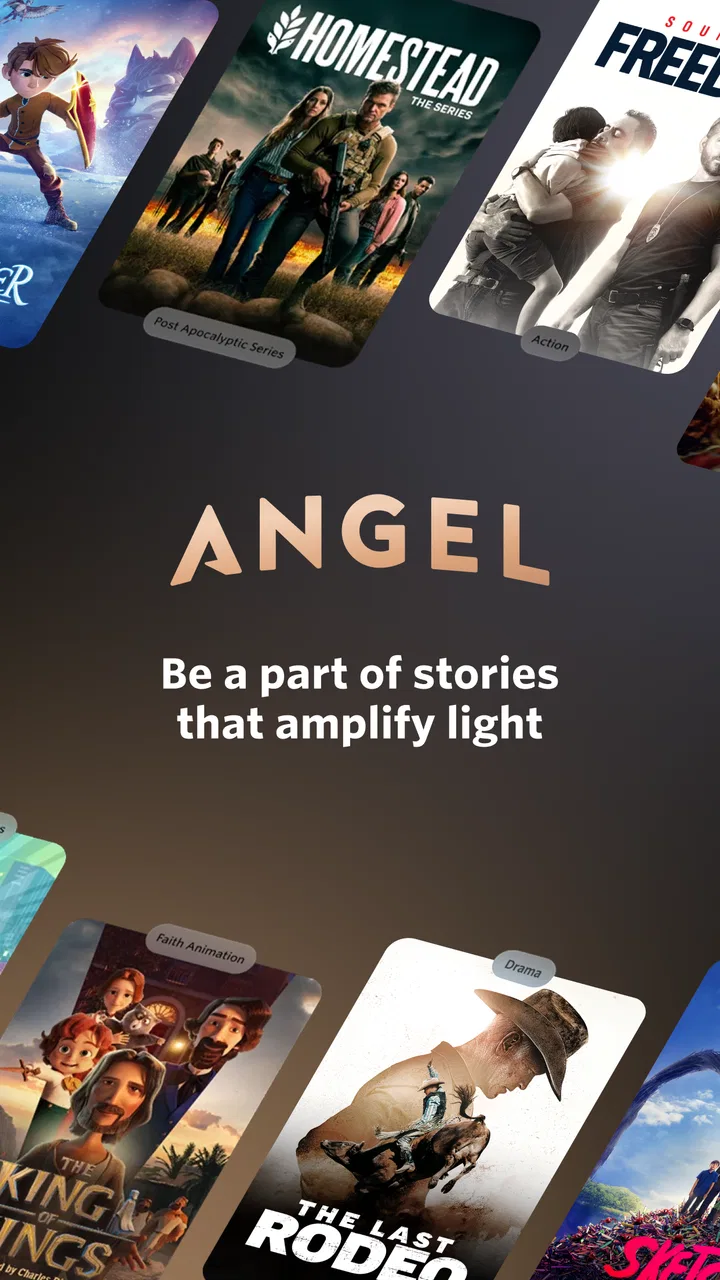
The app comes from Angel Studios, Inc. and is free to install. It has reached over ten million installs and holds a 4.6 average from around 372 thousand ratings, which suggests that its audience is not merely curious about it but regularly finds value in the service. It is rated Teen, so I would still check individual titles before handing the phone to a younger viewer. The app itself is easy to understand: browse, choose something, and start watching, with a mix of movies, television series, and releases that give the catalog a more curated feel than a completely general streaming library.
How Angel Studios feels during everyday viewing
I approach Angel as an app I might open between other evening plans, so this section looks at the small decisions that shape a real viewing session: how I choose a title, when I settle in, and what makes the service feel like a useful part of a routine rather than another place to scroll. It also sets up a closer look at the practical expectations I bring to browsing and playback.
You May Also Like

 Google Keep - Notes and lists
Google Keep’s Quiet Growth Shows the Appeal of Simpler Notes
As mobile work gets busier, Google Keep keeps winning a simple contest: capture a thought quickly, find it later, and get on with the day.

 Blood Strike: 2.5 Anniversary
Blood Strike’s Loadouts Turn Every Drop Into a Tactical Gamble
A close look at Blood Strike’s custom loadouts: how fast access to signature weapons reshapes its battle royale rhythm, rewards preparation, and narrows the gap between fights.

 Pandora - Music & Podcasts
Pandora’s Music Is Easy to Start, but Harder to Recover
Pandora’s strength is its low-effort path from a seed to a station. Its weak spot is how much confidence it asks you to place in connection, setup, and quiet recovery.

 8 Ball Pool
 Is Built on Rivalries, Rematches, and Routine
A close look at the rivalries, rematches, shared routines, and unanswered safety questions that turn a quick pool match into a persistent mobile community.

 Samsung Music
’s Quiet Strength Is Playing What You Already Own
Its reach comes less from spectacle than from dependable access to a personal library. That simplicity is both the app’s strongest retention engine and its ceiling.

 AccuWeather: Weather Radar
AccuWeather Review: A Quick, Clear Forecast for Everyday Decisions
For everyday plans, the best forecast is the one you can understand quickly. AccuWeather makes rain timing, radar, and local conditions easy to act on, with a few trade-offs.
More From Our News Desk



Speed expectations when opening and browsing
My first expectation with a streaming app is simple: I want to get from the home screen to a worthwhile title without fighting through clutter. Angel generally benefits from its focused identity. Because the service is built around its own type of programming rather than an enormous all-purpose catalog, browsing feels more purposeful. I am not constantly comparing hundreds of unrelated options before deciding what to watch.
That does not mean every viewing session will feel instant. Streaming performance depends on the connection, the phone or tablet, and the condition of the service at that moment. I would not judge the app solely by how quickly a poster appears after a tap. The more useful test is whether the experience recovers sensibly when a connection changes, and whether the interface lets me return to a title without starting the search from scratch.
For a normal evening at home, the app is best suited to a stable Wi-Fi connection and a device with enough free space and memory to keep other demanding tasks from competing with it. I would not expect a streaming service to behave identically on an older phone and a newer tablet. If your device already struggles with several apps open, the difference may be noticeable when you switch between browsing and playback.
What happens during heavier use
The demanding moments are not limited to pressing play. A longer session can involve browsing several rows, opening title pages, moving between episodes, and handling interruptions such as messages or calls. That is where a focused streaming app earns its place: the less time I spend navigating aimlessly, the less pressure there is on both the device and my patience.
I also find that streaming apps feel heavier when the viewer treats them like a television channel guide. Leaving the app open while repeatedly switching between titles is more work than selecting one program and watching it. My practical approach is to decide whether I want a movie or a series first, then use the catalog with a specific purpose. That small habit makes the experience feel calmer and avoids turning a relaxed evening into endless scrolling.
For families, heavier use can happen when several people are trying to choose something together. Angel works better when one person narrows down the options before everyone sits down. Its catalog has a distinct tone, so this is not the same as opening a broad service and expecting every genre or audience to be represented equally. If your household has very different tastes, the app may be one part of the evening’s entertainment rather than the only service you keep installed.
Stability and recovering from interruptions
Reliability matters more to me than a flashy home screen. A useful streaming app should make a temporary interruption feel temporary. If playback pauses because the connection changes, I want to be able to resume without losing the title I selected or having to retrace every step. Angel is most comfortable in a routine where the connection is dependable and the viewer is not constantly moving between networks.
On a phone, interruptions are common. I might pause to answer a message, lock the screen, or move from one room to another. My advice is to treat the app like a normal streaming player rather than assuming it will be ideal for every unstable connection. If your mobile data coverage is inconsistent, test the service during a short session before planning a long trip around it. That is a sensible precaution for any video app, especially one you intend to use away from home.
Another recovery issue is human rather than technical: remembering where I left off. Series viewing is easier when I make a note of the episode or keep my next choice in mind before closing the app. I would not rely on memory alone when several programs are competing for attention. A simple routine—finish an episode, identify the next one, and close the app normally—reduces the chance of wasting time searching later.
Device constraints and the right screen
Angel supports devices running Android 7.1 or later, so compatibility reaches back to older Android hardware. That is useful for people who keep a reliable older phone or tablet, but operating-system compatibility does not guarantee an identical experience on every device. A phone with a small screen can handle casual viewing, while a tablet or television setup is more comfortable for films and longer episodes.
Resource demands are also shaped by what else is happening on the device. If storage is nearly full, many background apps are active, or the battery is already low, video viewing becomes less convenient even when the streaming service itself is working normally. I would close unnecessary apps, connect to a charger for a long session, and avoid judging performance from a phone that is already under strain.
The Teen content rating is another device-related consideration. Parents should not treat the app’s family appeal as a guarantee that every title suits every child. I would preview a program’s subject matter and tone before choosing it for a younger viewer. The service can fit a family movie night, but that still requires an adult to make the final selection.
Why its focused catalog changes the comparison
Compared with a general streaming platform, Angel is easier to understand if you already know what kind of programming you want. Its identity makes discovery less random, and that can be refreshing when mainstream services leave me scrolling through familiar franchises. The trade-off is breadth. Someone who wants a huge mixture of international dramas, mainstream blockbusters, reality shows, sports, and niche genres may find a broader alternative more practical.
Compared with free video platforms, Angel feels like a more intentional destination for series and films rather than a place where I have to sort through an enormous range of unrelated uploads. The usual free alternatives may offer more spontaneous variety, while Angel’s appeal comes from its particular editorial direction and original-style programming. Which is better depends on whether you value focused discovery or maximum variety.
Compared with paid subscription services, the free entry point is attractive. You can try the app without committing to an upfront purchase, which lowers the risk for a curious viewer. At the same time, in-app purchases range from $12 to $179 per item, so I would pay attention to any purchase prompt and understand what I am selecting before confirming it. “Free” is most useful here as an invitation to explore, not as a promise that every possible viewing-related option will have no cost.
Practical ways I would use it
My favorite use case is a planned family evening. I would browse earlier in the day, choose a title that fits the group, and start the movie after everyone is ready. This avoids the familiar problem of opening a streaming app at the exact moment people want to watch and then spending half an hour debating. Angel’s focused catalog makes advance selection particularly worthwhile because the service has a recognizable tone.
A second use case is a short series routine. Instead of treating the app as background noise, I would choose one program and watch an episode at a regular time. That approach makes the catalog feel more manageable and helps me notice whether the storytelling style suits me. If the first episode does not match my taste, I would switch early rather than assuming the entire service is wrong for me.
A less obvious tip is to separate discovery from playback. When I am watching with other people, I browse while the group is still deciding, then stop navigating once the choice is made. This reduces accidental taps, keeps attention on the selected program, and avoids the sluggish feeling that can come from leaving many title pages open in succession. It is a small workflow change, but it makes a noticeable difference to the overall mood of a viewing session.
I would also use the app as a complement to, not necessarily a replacement for, a broad streaming subscription. That is especially sensible for households that want Angel’s particular selection but still need mainstream entertainment elsewhere. Keeping expectations realistic prevents the most common disappointment: installing a specialized service and judging it because it does not behave like a universal catalog.
Who should try it, and who should skip it
I would recommend Angel to viewers who want original shows, movies, and releases with a clear faith-oriented or family-conscious identity. It is also a good low-risk option for someone who wants to explore a different catalog without paying simply to install the app. The strong rating and large install base make it easy to see why the service has found a substantial audience, although popularity alone should not decide whether its programming fits your household.
I would be more cautious if your main goal is the widest possible selection. If you regularly jump between unrelated genres or expect every major title to appear in one place, a general streaming service will probably serve you better. I would also skip it as a primary choice if you have an unreliable connection and no patience for testing playback conditions. A focused catalog cannot compensate for a viewing setup that frequently loses network access.
Parents should approach it with the same care they would use with any Teen-rated entertainment app. The family-friendly reputation may make the service feel approachable, but individual programs can still differ in maturity, themes, and emotional intensity. I would choose the title first and then decide whether it is appropriate for the people watching, rather than handing over unrestricted browsing.
Version, cost, and long-term expectations
The current version is 26.2.2, and the app remains free to download. That combination makes it straightforward to try, especially if you are comparing several entertainment options. I would still keep the app updated through the normal app-store process because streaming applications depend on ongoing compatibility with devices and playback systems.
The purchase range deserves practical attention. A free installation can be helpful for exploring the service, but the presence of in-app purchases means I would not tap through a checkout screen casually. On a shared family device, I would make sure the person browsing understands which actions are simply opening content and which may involve payment. That is not a criticism unique to Angel; it is basic good practice whenever a free entertainment app includes paid items.
The developer’s identity also matters in a small but useful way: Angel Studios, Inc. gives the app a consistent home rather than making it feel like an anonymous collection of videos. For me, that supports the sense that the service has a defined editorial purpose. The downside is that a defined purpose naturally narrows the audience. The more clearly a service stands for one kind of viewing, the less likely it is to satisfy everyone in a mixed household.
My performance verdict
After weighing speed expectations, heavy-use behavior, stability, and device limitations, I see Angel as a streaming app that works best when used deliberately. It is not the right tool for every entertainment need, and I would not install it expecting the breadth of the largest general platforms. Its value comes from a focused catalog, a free starting point, and programming that can fit viewers looking for a particular kind of movie and series experience.
The strongest reason to try it is the combination of a clear identity and low commitment. You can explore it without paying an installation fee, test how it behaves on your device, and decide whether the available programming belongs in your regular rotation. The main friction is not understanding the app; it is deciding whether its narrower editorial direction matches your taste and whether your connection is dependable enough for comfortable viewing.
For my own recommendation, I would suggest trying it on the screen you plan to use most, beginning with a short viewing session rather than promising yourself an entire evening. Browse with a specific audience in mind, check the Teen rating before choosing for children, and be attentive to purchase prompts. If the programming fits, Angel can become a genuinely useful companion for family nights and focused series viewing. If you want unlimited variety or a single service for every member of a diverse household, keep a broader alternative nearby. That balance is where this app makes the most sense.
FAQs for Angel: Watch Movies & TV Shows
01What content is available on Angel: Watch Movies & TV Shows?
Angel offers a diverse library of movies and TV shows, ranging from classic hits to the latest releases. The app includes various genres such as action, comedy, drama, documentaries, and more. It regularly updates its catalog to ensure users have access to the newest content, catering to a wide range of preferences.
02Is Angel: Watch Movies & TV Shows free to use?
While Angel provides some content for free, it also offers premium options that require a subscription. Free users may experience ads and have access to a limited selection, while subscribers enjoy an ad-free experience with full access to the entire library. Pricing and available plans can vary, so it’s best to check the app for the latest information.
03Can I download movies and shows for offline viewing on Angel?
Yes, Angel allows users to download movies and TV shows for offline viewing. This feature is especially useful for those who want to watch content without an internet connection while traveling. However, the number of downloads and available titles for this feature might depend on your subscription plan.
04What devices and platforms support Angel: Watch Movies & TV Shows?
Angel is compatible with both Android and iOS devices, ensuring broad accessibility. It supports smartphones, tablets, and even some smart TVs. Users can download it from the Google Play Store or Apple App Store. Make sure your device meets the app's minimum requirements for optimal performance.
05How does Angel handle user privacy and data security?
Angel takes user privacy seriously by implementing robust security measures to protect personal data. The app complies with industry standards and regulations, ensuring that user information is encrypted and secure. Users are encouraged to review Angel's privacy policy for detailed information on data handling and security practices.
Pros
- Extensive movie and TV show library.
- User-friendly interface design.
- High-quality streaming options.
- Regular updates with new content.
- Supports multiple language subtitles.
Cons
- Requires a stable internet connection.
- Contains occasional ads during playback.
- Limited offline download features.
- Some content may not be available in all regions.
- Subscription needed for premium features.

Angel: Watch Movies & TV Shows
Gallery